SnapDock
A fast, clean, distraction‑free Markdown editor — built for the modern writing workflow.
Why SnapDock Exists
Most writing apps fall into two extremes: they’re either so simple that they get in your way, or so overloaded with plugins and settings that they feel like full development environments. There was nothing calm, modern, and reliable that simply let people write.
SnapDock was created to fill that gap — a clean, predictable Markdown editor that gives you space to think. It’s built for writers, developers, and creators who want clarity, speed, and a workspace that stays out of the way.
With SnapDock V3, the experience is smoother, faster, and more intentional than ever. It keeps the simplicity people loved, but modernises everything around it.
A Calm, Modern Writing Environment
SnapDock gives you a focused Markdown workspace without the clutter of heavy editors or the limitations of bare‑bones note apps. It’s fast, stable, and designed to help you stay in flow — whether you’re writing documentation, notes, articles, or technical content.
It sits comfortably between minimalist writing tools and complex, plugin‑driven platforms, offering a balanced, approachable experience that stays fast and predictable.
Screenshots
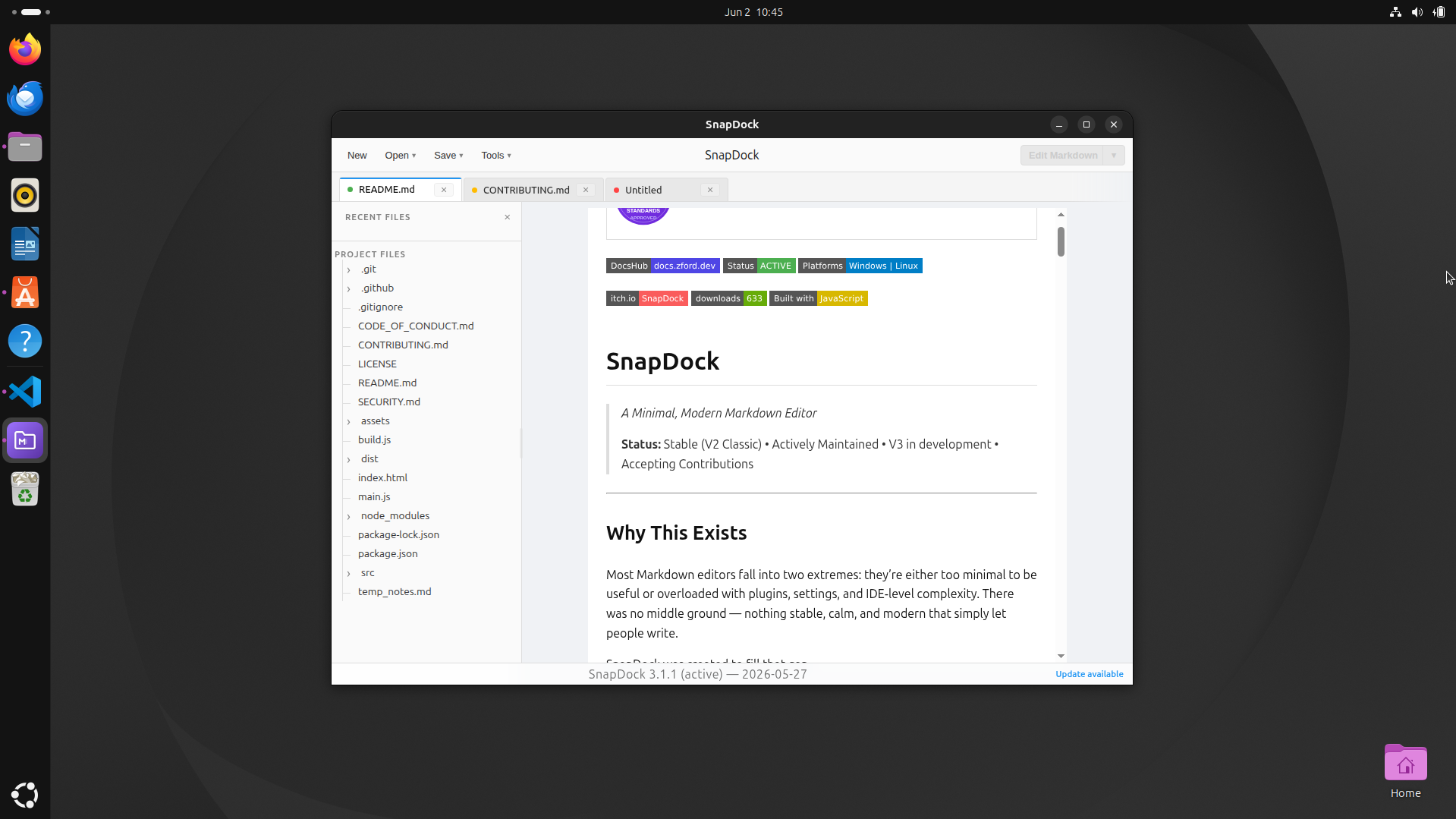
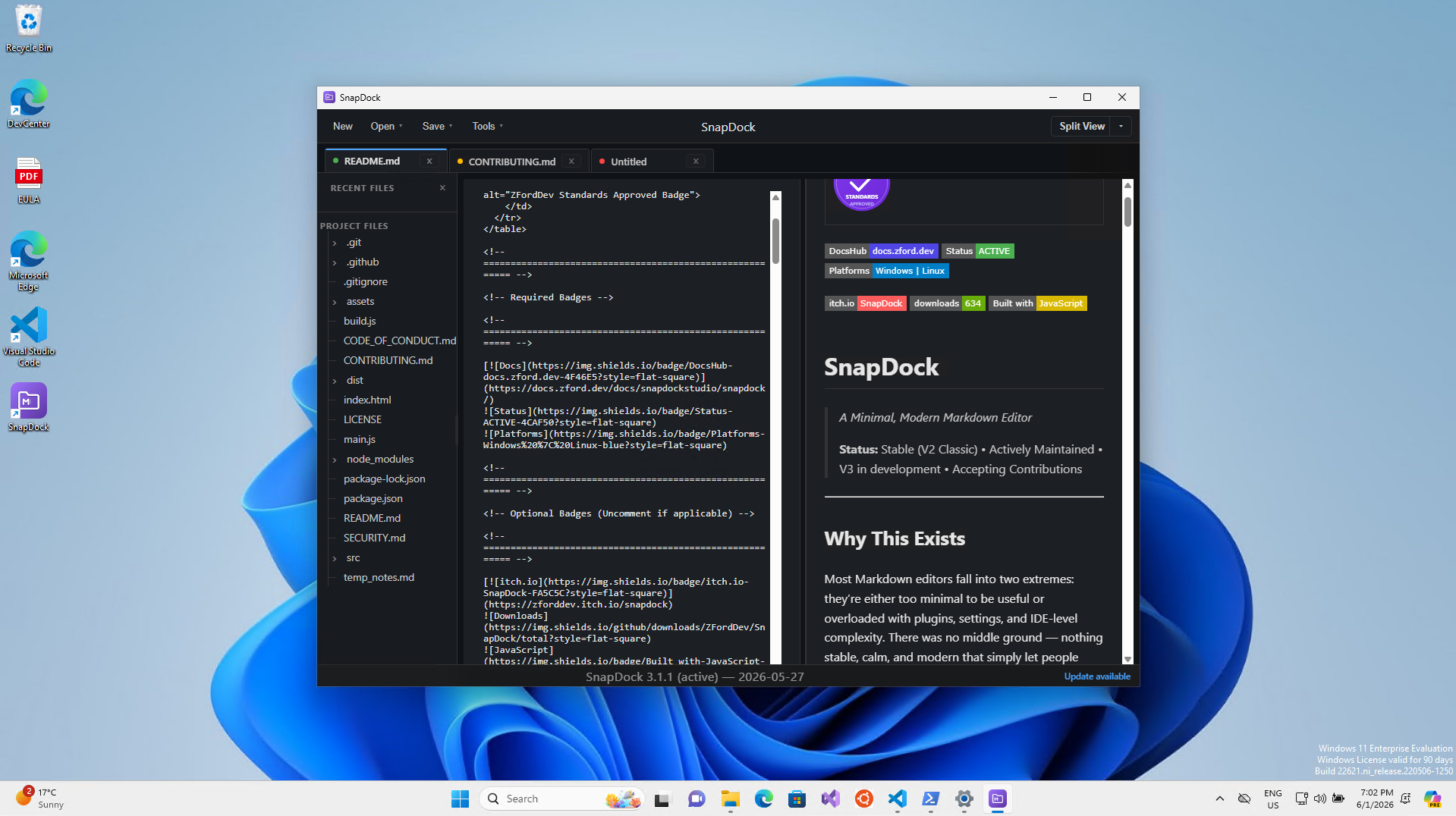
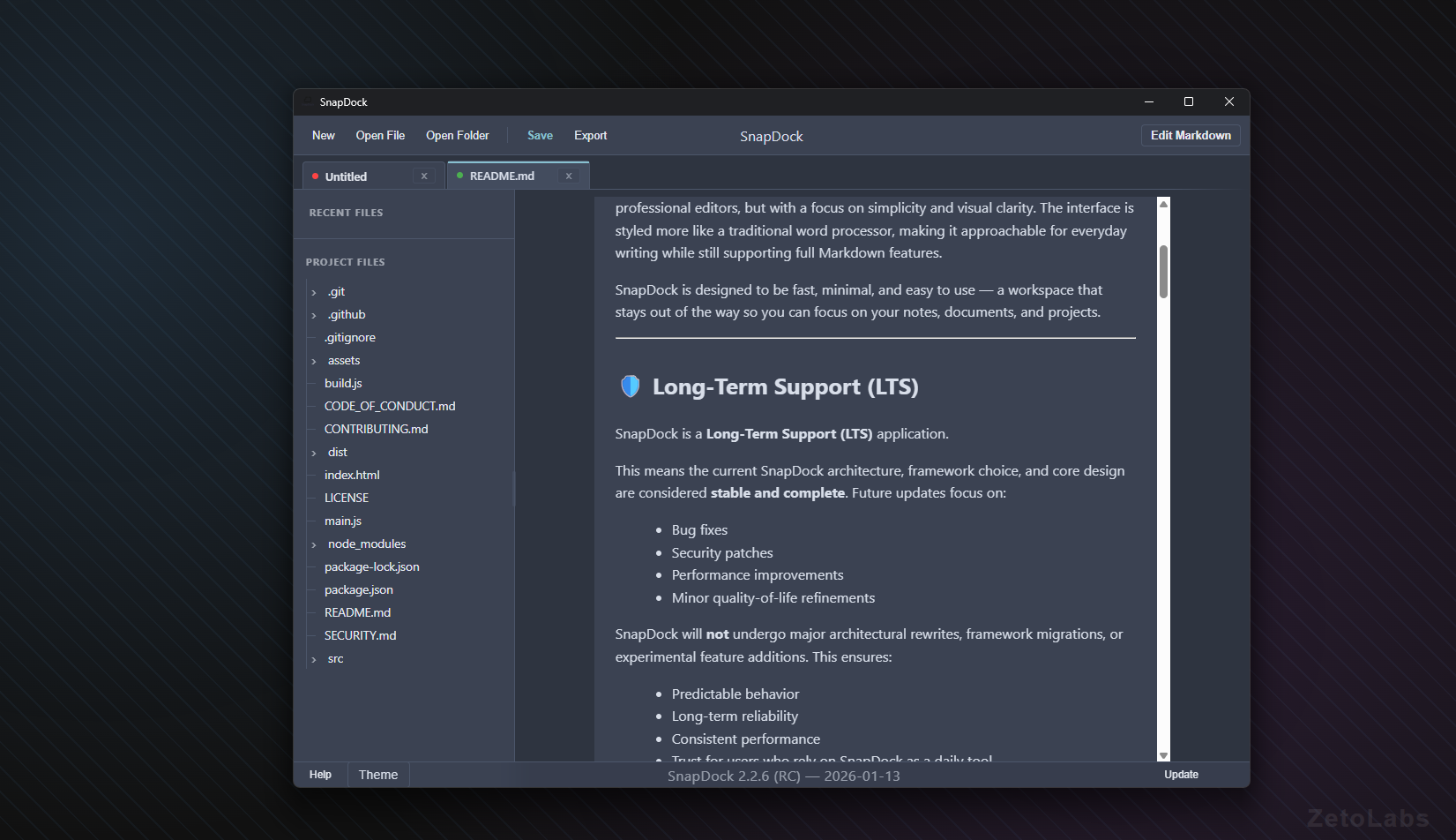
What SnapDock Can Do
Work Across Multiple Files
Open several documents at once with smooth tab management and drag‑and‑drop reordering.
Split View Editing
View and edit two files side‑by‑side — perfect for referencing notes or comparing drafts.
Clean, Modern Interface
A lightweight UI that keeps your writing front and centre, without distractions or clutter.
Local‑First Workflow
Your files stay on your machine. No accounts, no syncing, no cloud lock‑in — just your writing.
Recent Files & Workspaces
Quickly jump back into your projects with automatic recent‑file tracking and workspace‑based navigation.
Themes Built‑In
Choose from multiple themes to match your environment and reduce eye strain.
Cross‑Platform Support
Available on Windows and Linux, with store builds and a portable edition for maximum flexibility.
Fast, Accurate Markdown
Powered by a modern Markdown engine for smooth typing and reliable previewing.